Autonomy modes
The three system modes — Manual, Semi and Auto — what each lets Forven do on its own, the confirmation each one shows, how mode changes freeze and thaw work, and how Emergency Halt and Reset Halt differ.
The system mode answers one question: how much may Forven do without you? It's a three-way switch — MANUAL, SEMI or AUTO — in the control strip at the top of every page, and it decides which background work the scheduler may run on its own. This page is the depth behind that switch; operations covers the rest of the strip.
Forven is a research tool. The mode governs how much of a research process runs unattended. It doesn't create an edge, no mode guarantees against loss, and nothing here is financial advice.
The three modes
| Mode | What runs on its own | Use it when |
|---|---|---|
| Manual | Nothing. Every scheduled job is paused and queued autonomous runs are frozen. Only what you start yourself runs. | You want a fully operator-driven lab. The fresh-install default. |
| Semi | Everything except new ideas: the gauntlet workflow, paper scanning, graduation checks, data collection and maintenance. | You want your strategies and submitted ideas worked through the pipeline, but no new ideas from the agents. |
| Auto | Everything, including the strategy-creation loop within its daily budget. | You want the full autonomous pipeline. |
Manual — operator-driven (the default)
A fresh install starts in Manual, with a yellow banner under the strip: "Manual mode - all background work frozen. Only direct operator actions run." (with a count when queued runs are being held) and a Switch to Semi button.
In Manual the scheduler skips every due job — scanners, data collection and maintenance included — and records it as paused. The daemon's market loop pauses too. Pending runs the system queued are frozen as paused_manual. What you do directly still works: backtests, the Strategy Creator, robustness runs you start from a strategy page, stage changes, manual paper orders, and ideas you submit.
Because the paper scanner is a scheduled job, paper strategies don't trade forward in Manual. Switch to Semi when you want them to.
Semi — your work, no new ideas
The banner reads "Semi mode - autonomous generation off; ideas you submit still run through the pipeline." with a Switch to Auto button.
Three generation jobs stay frozen — forven-strategy-creation, forven-testing-cycle and forven-auto-intake — so the agents write no new ideas on their own. Everything else runs: the gauntlet workflow advances strategies already in the pipeline, the scanner trades paper strategies forward, graduation checks run, and data stays fresh. It's the safe way to let a backlog drain without piling new intake on top.
Auto — full autonomy
Everything runs. The Strategy Developer writes ideas and builds strategies from them within the daily budget, and the pipeline evaluates and promotes them. Run unattended in Auto only when the lab is healthy — green checks on Diagnostics and an AI provider connected.
Auto is not a real-money bypass. The mode controls which jobs run, never what they check. Every gate applies in every mode, and promotion into live always needs a typed GO LIVE with a per-asset notional ceiling. Gauntlet → paper promotion is automatic by default; switch off Auto promotions on Approvals to approve each one.
What each confirmation says
Clicking a mode opens Switch to mode mode with Cancel and Confirm:
| Mode | Confirmation text |
|---|---|
| Manual | "Manual mode: all autonomous background work freezes. Scheduled jobs stop, queued autonomous runs pause, and only direct operator actions can run until you leave manual mode." |
| Semi | "Semi-automatic mode: agents will not write new ideas on their own. Ideas you submit are built into strategies and fully evaluated by the Gauntlet and lifecycle machinery. Trading stays active." |
| Auto | "Fully automatic mode: agents write new ideas and build strategies from them within the daily budget, and the pipeline evaluates and promotes them. Live trading is active." |
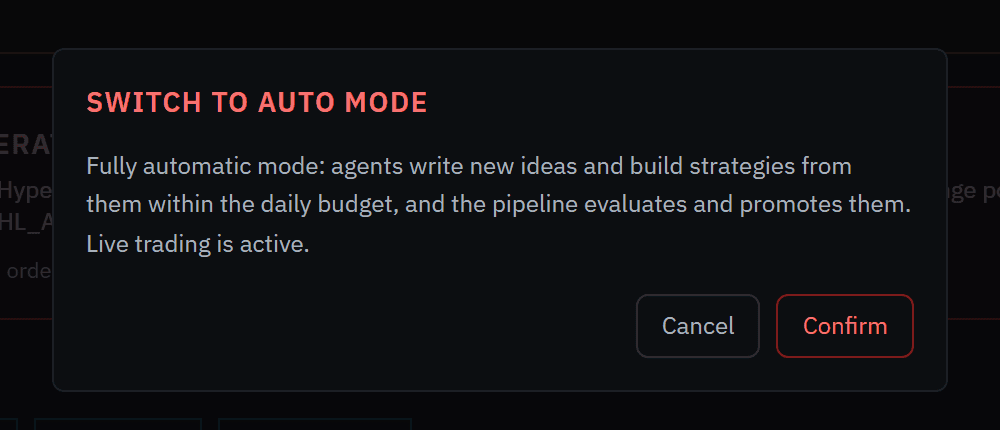 Auto is the only mode change shown as a danger action.
"Live trading is active" means live execution isn't paused by the mode; with no live strategies, nothing trades real money. Paper is the supported mode.
How mode changes freeze and thaw
Switching mode moves the backlog with you so runs aren't orphaned or duplicated:
- Entering Manual (freeze). Pending runs the system queued are set to
paused_manual— held in place, not cancelled. Runs you started yourself aren't frozen. - Leaving Manual (thaw). Moving to Semi or Auto resumes them. Where a newer run has superseded an older paused one, the stale one is cancelled rather than re-run, so a long pause doesn't produce double execution.
The scheduler applies the new mode on its next tick; give it a moment before deciding nothing happened.
The generation pause
The API also has a narrower-looking switch:
# Stop new ideas (outside Manual this is the same as switching to Semi)
Invoke-RestMethod -Method Post -Uri "http://127.0.0.1:8003/api/system/generation/pause"

# Allow new ideas again (outside Manual this switches to Auto)
Invoke-RestMethod -Method Post -Uri "http://127.0.0.1:8003/api/system/generation/resume"
It isn't independent of the mode — the generation flag is the difference between Semi and Auto. Pausing generation in Auto moves you to Semi; resuming it in Semi moves you to Auto. In Manual, resuming generation is refused: the mode stays Manual and generation stays paused. Manual is an explicit operator freeze, and only an explicit mode change leaves it.
Mode is not the trading halt
The mode and the trading halt are separate switches that answer different questions:
- The mode decides how much background work runs.
- The trading halt (the system pause) decides whether new live positions may open. It's enforced at the risk gate, doesn't freeze research jobs, and doesn't apply to paper.
You can be halted in any mode. When trading is halted, the strip shows Trading Halted and a red "Trading halted: …" line with the reason.
Emergency Halt
Emergency Halt is always in the strip. Its confirmation reads "This will immediately close all open positions via market orders." Confirming engages the system pause first, so nothing new can open, then flattens every open live position on the exchange with market orders. Paper positions aren't touched.
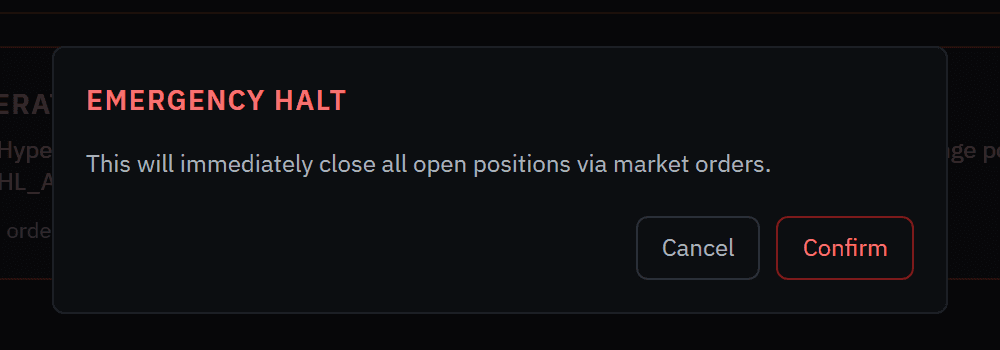 Focus starts on Cancel, and Esc cancels, so a stray Enter can't confirm it.
Reset Halt
Reset Halt appears only while trading is halted. Its confirmation, Reset Trading Halt, reads "This clears the current trading halt, resets risk halt flags, and resumes the runtime gate. Only continue if the trigger cause is resolved." It clears the system pause, a tripped kill switch and the daily-loss halt.
It does not clear a halt caused by the exchange connection itself. On an install with no Hyperliquid credentials you'll see "Trading halted: startup exchange recovery active … HyperLiquid private key is required …"; that halt lifts only when the exchange connection recovers. It concerns live trading only: backtests, the gauntlet, paper trading and manual paper orders aren't affected by it.
Steps: change the mode
- In the control strip, click MANUAL, SEMI or AUTO.
- Read the confirmation and click Confirm.
- The switch highlights the new mode and the banner under the strip changes (Manual and Semi have one; Auto doesn't).
- On the next scheduler tick, jobs start or stop accordingly. In Agents → Schedules, jobs the mode is holding show a note from their last run.
From the shell (operator-gated — needs FORVEN_OPERATOR_KEY if you've set one):
Invoke-RestMethod -Method Post -Uri "http://127.0.0.1:8003/api/system/mode" `
  -Body '{"mode": "semi_auto"}' -ContentType "application/json"
The API values are manual, semi_auto and auto; GET /api/system/status reports the current mode and how many runs are held.
Caveats
- Mode is not the halt. The halt stops new live trades in every mode; the mode decides how much runs on its own.
- Manual freezes everything scheduled — including the paper scanner and data collection.
- Leaving Manual takes a mode change. Resuming generation alone is refused.
- No mode loosens a gate.
testing_mode, a separate switch, bypasses only the non-capital gates. - Auto needs an AI provider to do anything new; without one the creation loop queues runs no agent can work.
Related
Ideas & strategy creation
How Forven's agents turn ideas into strategies — the strategy-creation loop, its daily budget, what each system mode allows, and how to submit your own idea from The Forge.
Philosophy
Why Forven is built the way it is: process discipline is the only durable retail edge, in-sample metrics lie, and you must kill your darlings.