Forge strategies. Trust only proof.
Forven is a free, self-hosted workspace for testing trading ideas the hard way. Build a strategy, put it through a walk-forward gauntlet, and paper-trade the survivors on live data — with AI research agents to help if you want them. Your machine, your keys, no account.
Windows, macOS and Linux · Python 3.11+, Node.js and git
Strategies, data, and runs stay on your machine.
Your exchange and LLM keys never leave your machine.
Clone and run — no sign-up, no license key.
Free and open source. Read every line.
From an idea to evidence, in the order you'll do it.
Forven is one process with hard gates, not a signal feed. These are the real screens you move through — each one has a step-by-step walkthrough in the docs.
Data
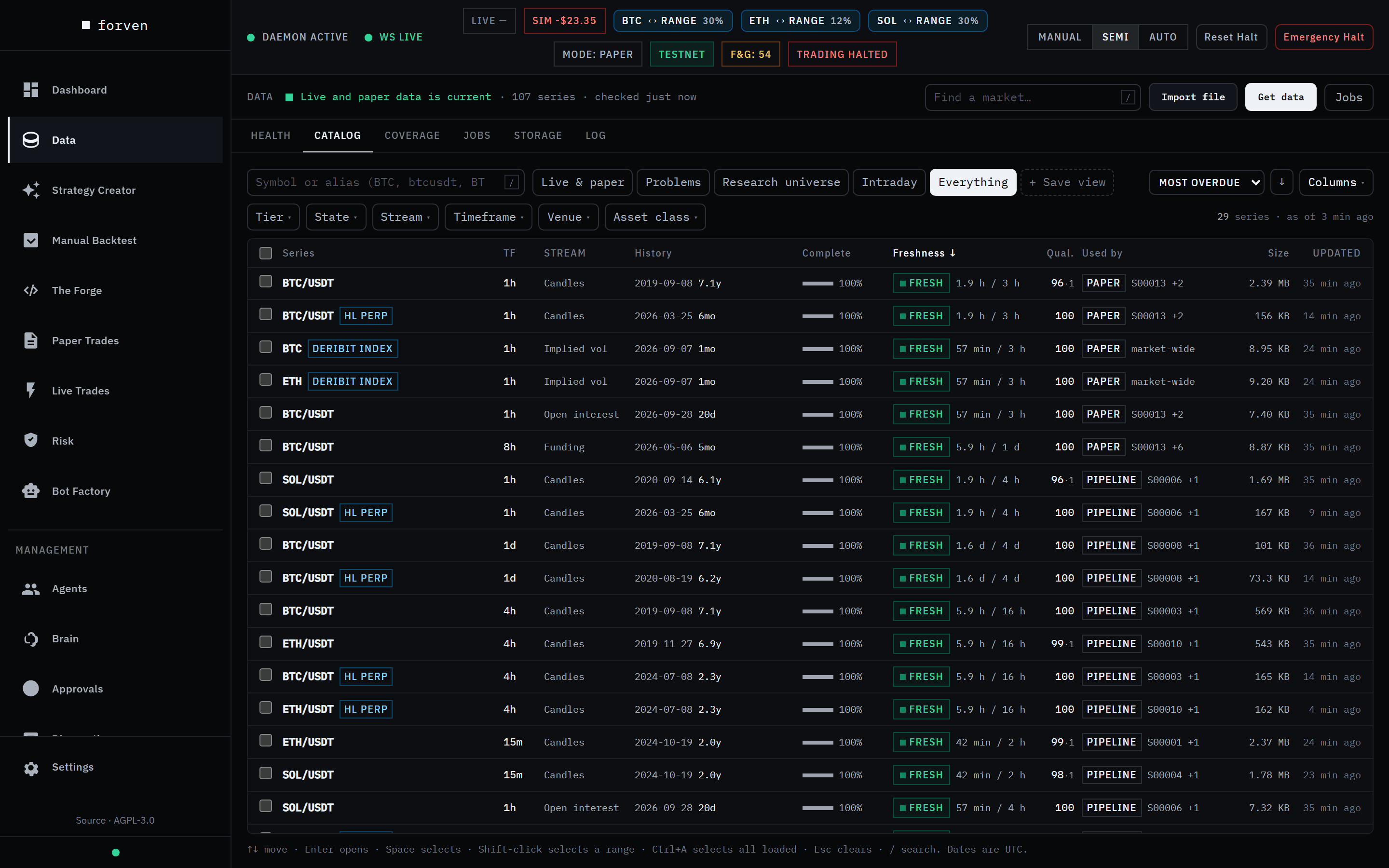
Start with real history, not a sample file.
Pick the Starter preset and Forven downloads BTC, ETH and SOL perpetuals — 1h, 4h and daily candles, all history, plus funding and open interest — from Binance in the background. No key needed. A collector keeps it current afterwards.
Strategy Creator
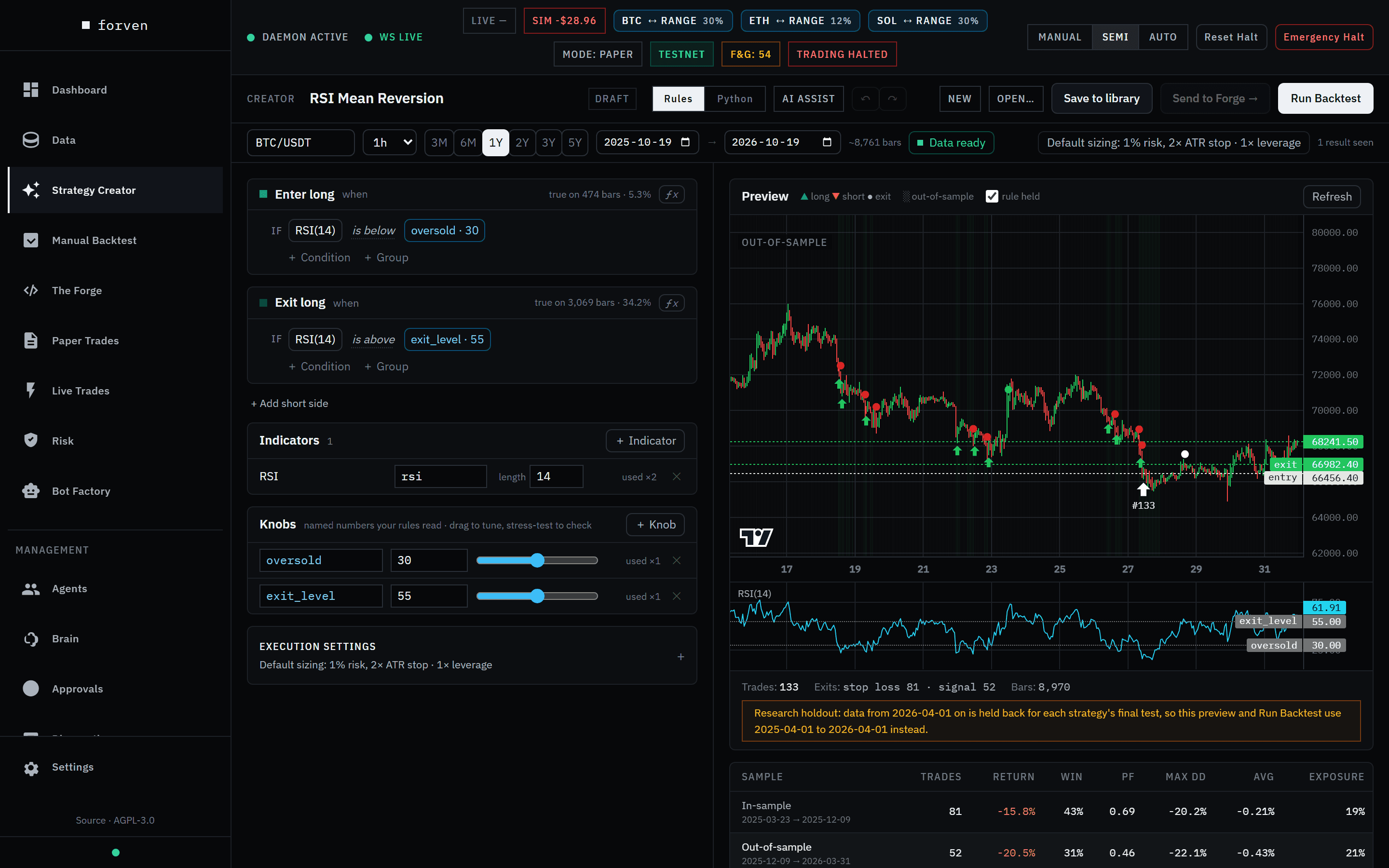
Write the rules. Watch them trade the chart as you type.
Start from a template or a blank canvas and build entry and exit rules from 48 indicators, or switch to Python. A live preview marks every trade and splits in-sample from out-of-sample, with stress tests and a deflated Sharpe that counts every variant you tried.
Manual Backtest
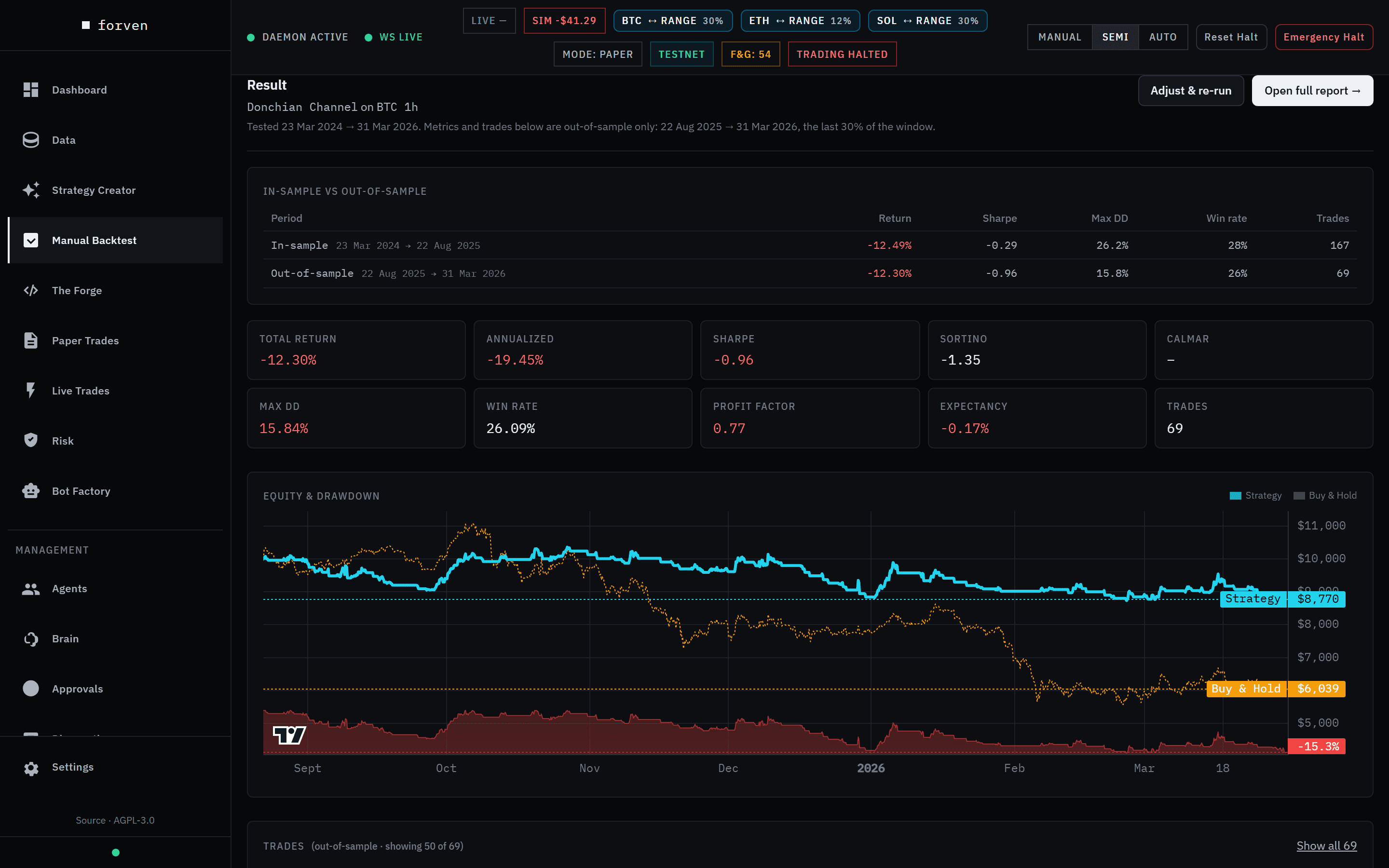
Score it on the part of history it never saw.
Every result is out-of-sample first: metrics come from the last 30% of the window, with fees, slippage and funding applied, an equity curve against buy-and-hold, and a warning when the out-of-sample numbers collapse against in-sample.
The Forge
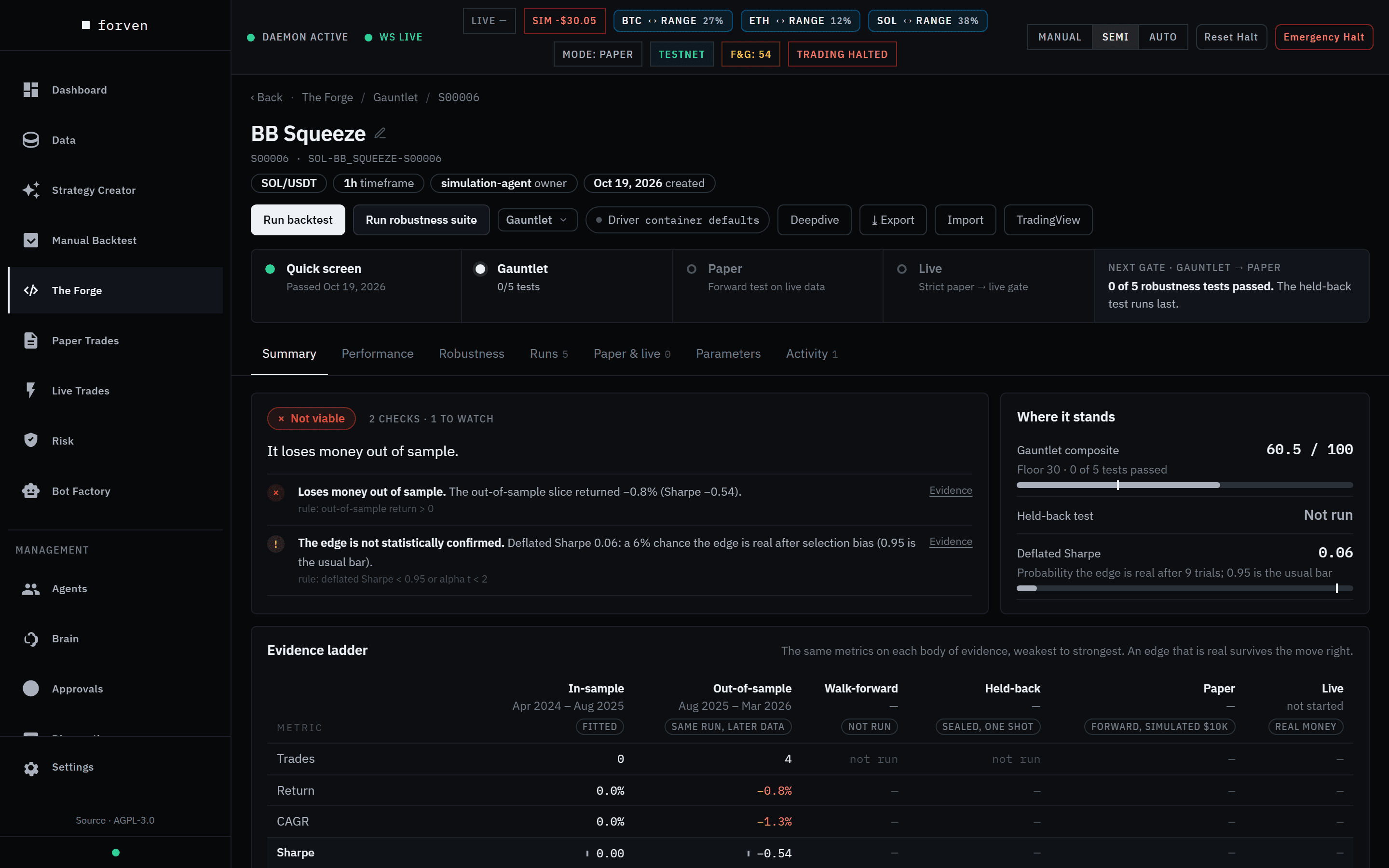
Then try hard to break it.
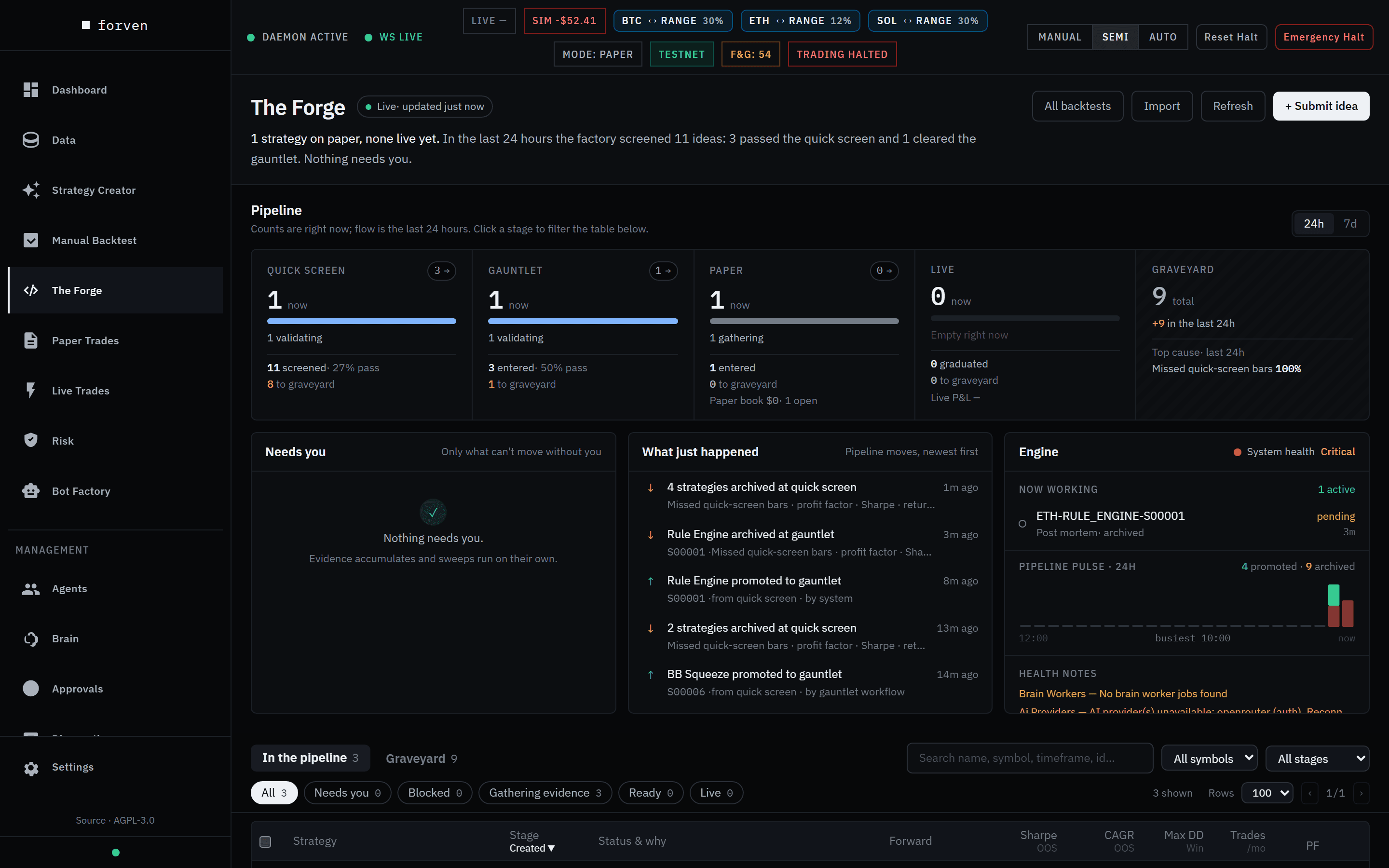
Send it to The Forge. A quick screen throws out the obvious failures, then the gauntlet runs walk-forward folds, parameter jitter, Monte Carlo, cost stress and regime splits. The strategy page shows every verdict, the evidence behind it, and exactly what blocks the next stage.
Paper Trades
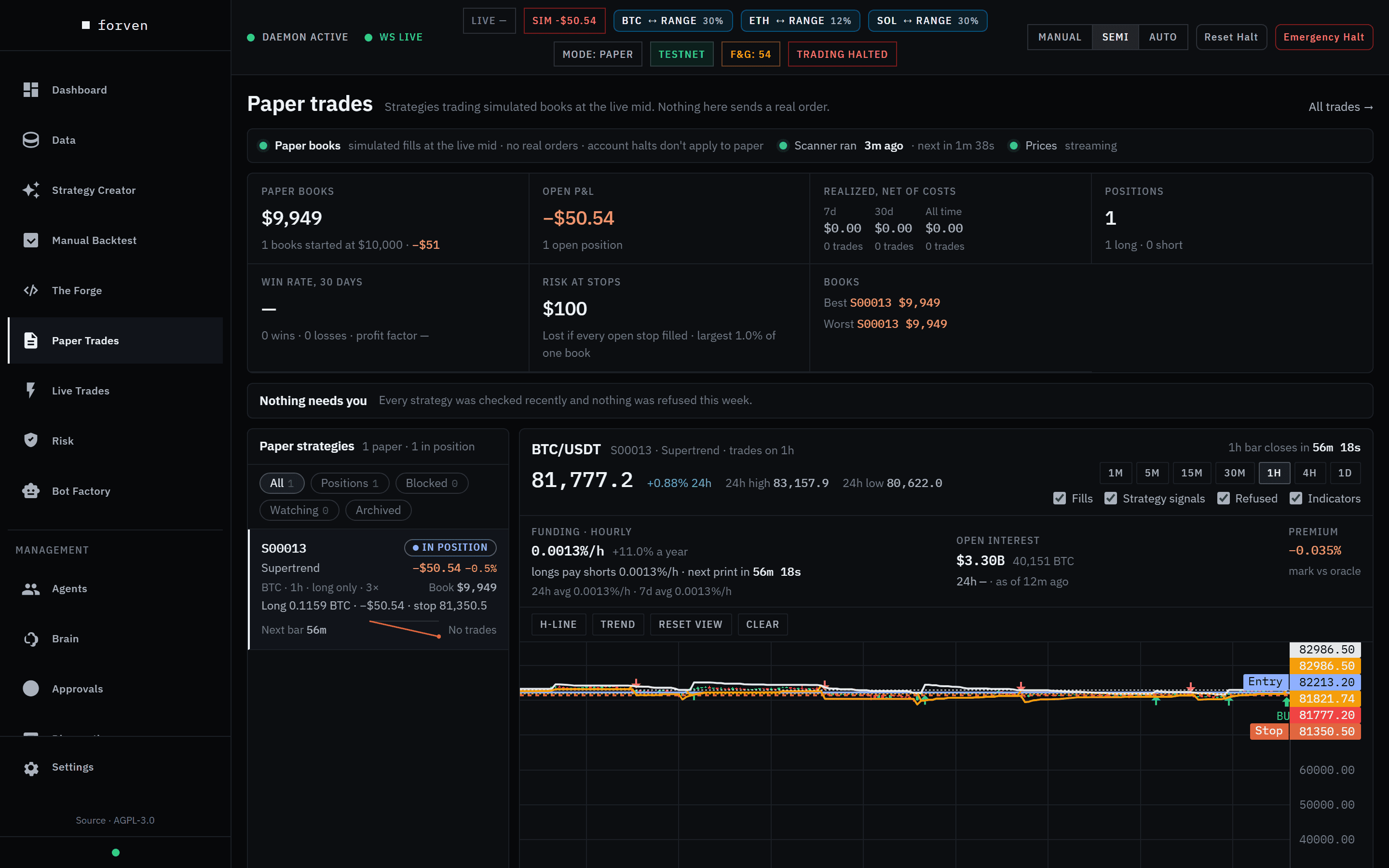
Prove it forward before any capital.
Survivors trade forward on the live Binance feed through the same engine that ran the backtest. Fills are simulated at the live mid on your machine — no order is sent anywhere. Each book is compared against what its backtest said it would do, and losers are retired automatically.
Most strategies fail. Forven makes failure useful.
Each stage asks a harsher question of the same idea. Cheap checks keep broken and losing strategies out of paper; the hard ones — deflated Sharpe, the held-back test, forward evidence — stand between paper and real money. The strategy page tells you which test a strategy failed and why.
- Quick screenOn a fair sample of 20+ trades, does it clear the basic bars — a positive return, drawdown under 30% — before anything expensive runs?
- Walk-forwardDoes it make money in folds of history it was not fitted on? Recorded before paper, required for live.
- Parameter jitterDoes it survive small nudges to its settings, or is it one lucky parameter set? Required for live.
- Monte CarloReshuffle the order of its trades — how bad could the drawdown have been?
- Cost stressDoes the edge survive higher fees and slippage than you expect? A loss under 2× costs keeps it out of paper.
- Regime splitDoes it only work in one kind of market?
- Deflated SharpeAfter counting every variant that was tried, is the Sharpe still likely to be real? Required for live.
- Held-back testOne run on the recent months the research never saw, when a strategy applies for live. It must pass.
- Forward evidenceAfter 20+ paper trades and 30 days, does the forward record back the backtest — against a bar that rises with every strategy in paper?
Illustrative cohort math, not a promise about your markets, regime or results. The point is disciplined rejection.
One shot at data it has never seen.
The most recent three to six months are held back from research. When a strategy applies for live, it gets exactly one run on them — and must pass.
How the gates work →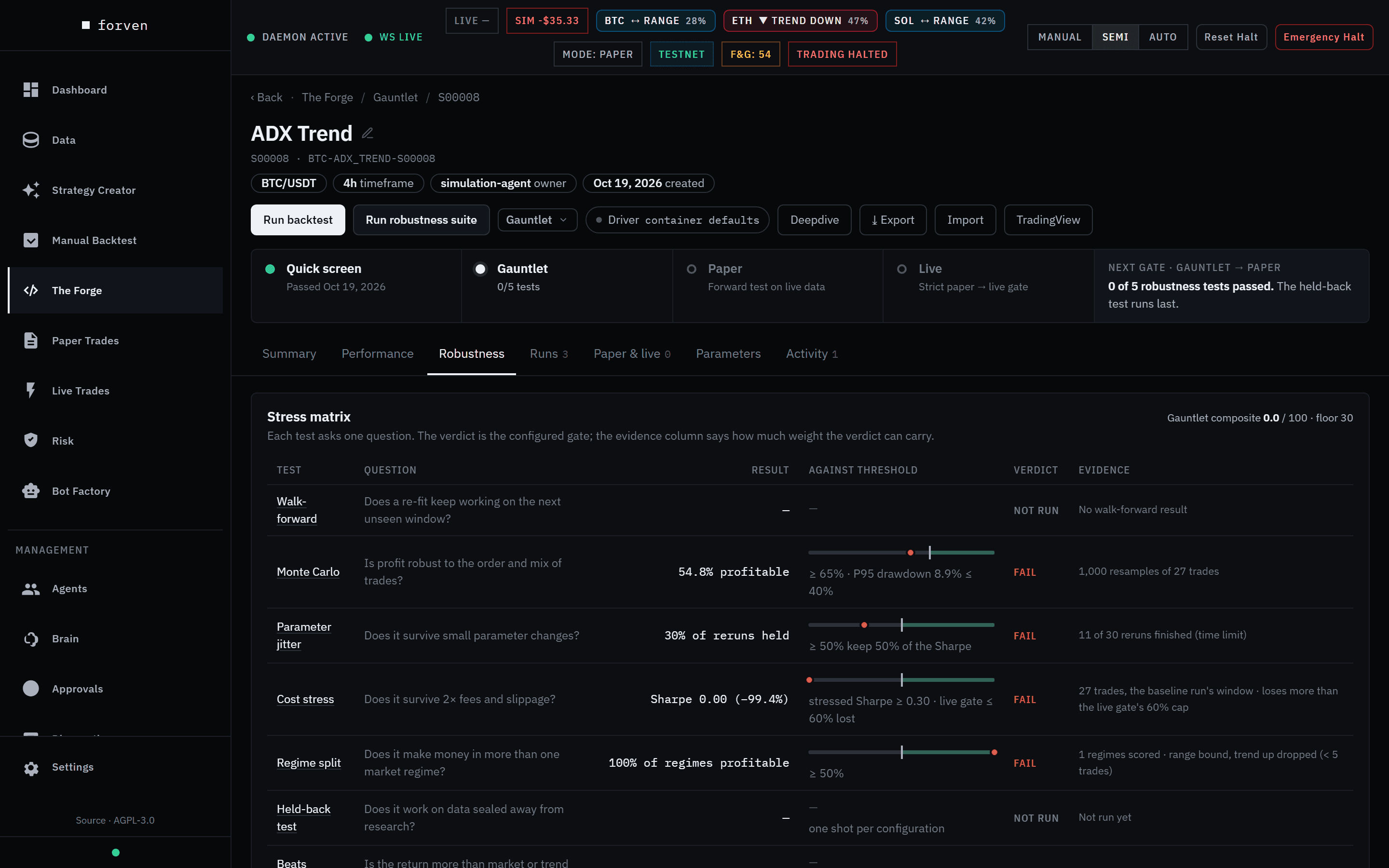
You decide how much it does on its own.
Forven can run research around the clock, but nothing moves without a gate, and nothing touches real money without you. The Risk page is the one screen to open when something looks wrong.
Manual, Semi or Auto
One switch on every page decides how much runs on its own. A fresh install starts in Manual: nothing happens unless you start it.
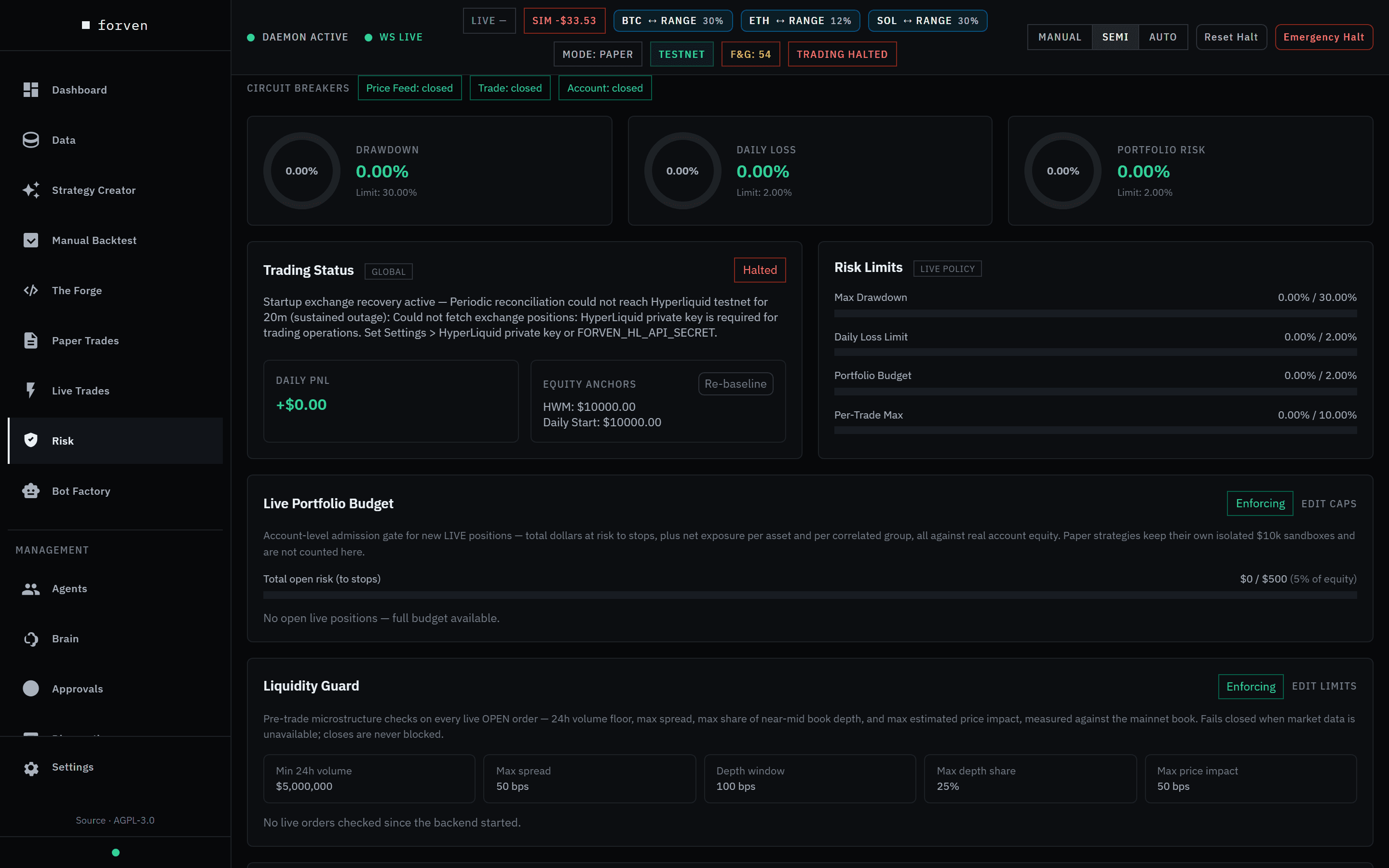
Limits that halt trading
Drawdown, daily-loss and per-trade limits run as live gauges, with circuit breakers on the price feed, trade routing and account.
Emergency Halt
One confirmed control pauses the system and closes every open live position at market while you work out what happened.
Live stays yours
Paper is the supported mode. Going live takes a typed GO LIVE, a per-strategy notional ceiling and a mainnet switch only you can set.
- Set your limits and stop buttons →
Co-researchers, not co-pilots.
Six optional agents are included for everyone. Give them an idea — or, in Auto, a daily budget — and they write it up, build strategies from it, and explain why the gauntlet killed them. The gates still decide what earns attention.
They run on your own provider: paste an API key from any of 16 providers, sign in with a ChatGPT subscription, or point them at a local model. Nothing is resold.
- Writes up ideasthesis, mechanism and what would disprove it — yours, or its own in Auto
- Builds strategies from themregistered through the same safety guard as yours
- Inspects gauntlet resultsreasons about why edges died
- Writes post-mortemson failed candidates and live drawdowns
| Agent | Role |
|---|---|
| Brain | Coordinates the others; follows Manual, Semi or Auto |
| Strategy Developer | Writes ideas up and builds strategies from them |
| Simulation Agent | Backtests, optimization and validation |
| Risk Manager | Oversees paper and live risk |
| Quant Researcher | Post-mortems on what failed; data checks |
| Full-Stack Engineer | Diagnoses failures when you ask |
Or bring the AI you already use.
Forven ships a Model Context Protocol server. Connect your AI client and it can design, backtest and validate strategies in your lab — through the same gauntlet and the same gates as everything else. Watch each session live on the Integrations page.
A genuine rejection is the system working: the client reads the gate report and fixes what failed. It can't skip a gate, and going live always stays with you.
Connect an AI client →Run it from your Forven folder with its virtual environment active. Ready-made configs for Claude Code, Claude Desktop, Cursor, Codex CLI, VS Code, Windsurf and more are in the app under Integrations → AI Clients.
- Reads the workspacecontext, the strategy template, datasets, and the gotchas
- Writes and registers strategiesthrough the same safety guard and look-ahead probe
- Runs the evidencebacktests, optimization, and the persisted robustness suite
- Reads the gate reportand promotes only through the real gates — live stays yours
Walkthroughs for every step, written against the real app.
Each guide takes one task from start to finish with a screenshot of every screen you'll see — so you always know which button comes next and what a good result looks like.
- 1First launch & setupStart Forven, get through the setup wizard, and learn the screen you land on.10 min →
- 2Get your first market dataDownload BTC, ETH and SOL history with the Starter preset and watch the jobs finish.5 min + download →
- 3Build a strategyTurn an idea into entry and exit rules in the Strategy Creator — no code, no AI key.15 min →
- 4Run and read a backtestBacktest on data the strategy never saw, and learn which numbers to trust.10 min →
- 5Run the gauntletSend it to The Forge, run the robustness suite, and read the verdict.20 min →
- 6Paper-trade a survivorPromote to paper, then watch it trade forward on live data with simulated fills.10 min →
- 7Set limits & stop buttonsKnow the autonomy switch, the risk limits and Emergency Halt before you need them.10 min →
- 8Put the agents to workConnect a model provider, give every agent a model, and hand them an idea.15 min →
- 9Connect Claude Code or CursorPlug your own AI client into Forven over MCP and watch the session live.10 min →
Free and open source.
Every Forven feature is free. Clone the repository and run one launcher script — the whole stack runs on your own machine. Bring your own LLM key when you want agents to help draft, debug and review.
Then run start_all.ps1 on Windows, or follow the install guide's short setup for macOS and Linux.
- Clone the repo and run one launcher script — no installer, no account.
- Bring your own exchange and LLM keys; nothing is resold or proxied.
- Runs on Windows, macOS, and Linux from source.